PONGuino – Arduino & S65 Shield – 2 Player MiniGame
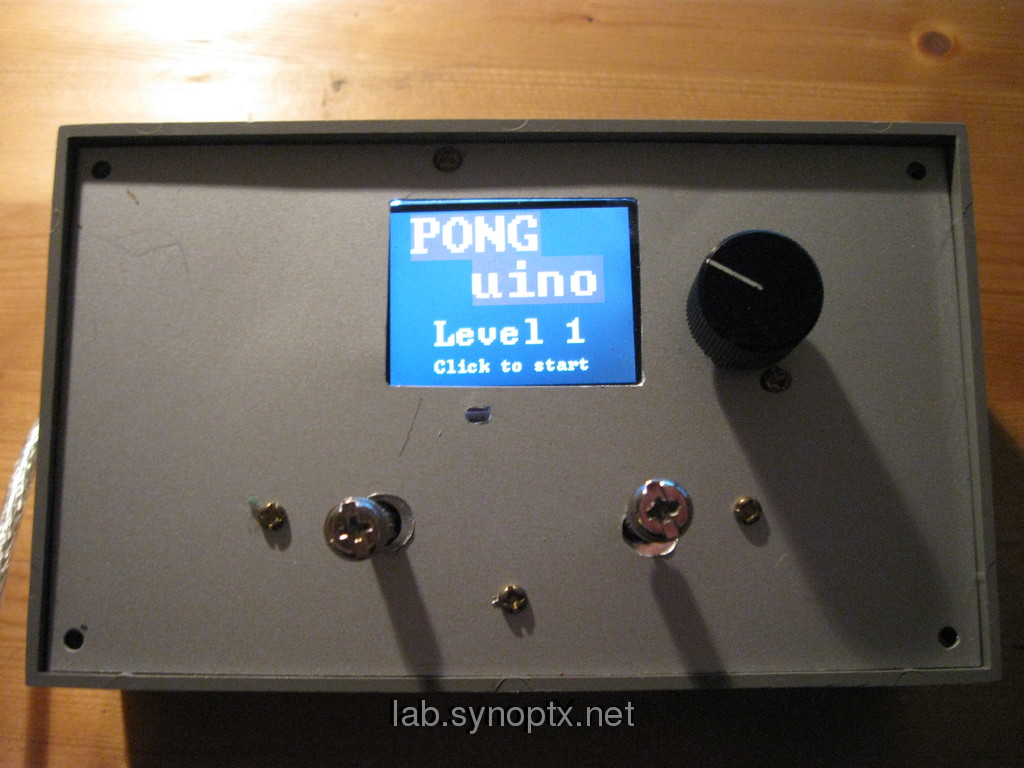
PONGuino game on the MirrorBot v3 Hardware
I wanted a playable game to show the possibilities of the Arduino plattform in workshops. Since I already have a S65-Shield built in a box with two joysticks, I wanted to use that MirrorBot hardware for presentation.
The most funny code I could find for the S65 Shield was a Pong game by
This mod uses one axis of two joysticks – or two potis connected to input pins to move the two bats of the two players up and down.
The AI and encoder codes were removed and replaced by a similar check:
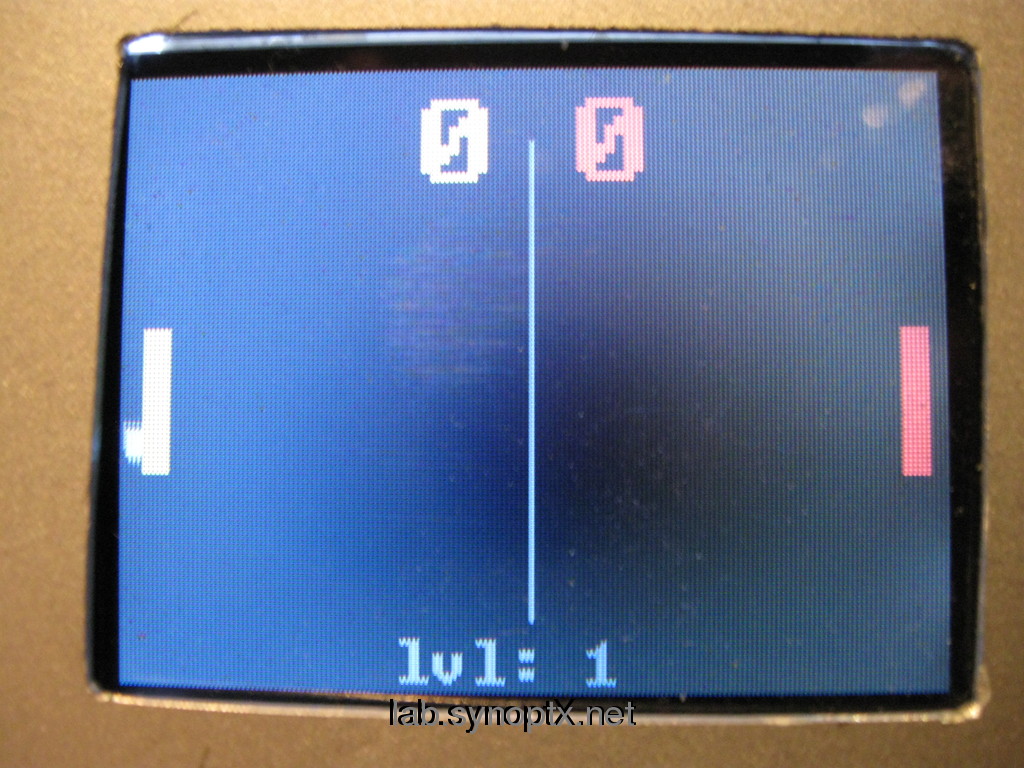
PONGuino 2 players in action
If the joystick potis are moved up or down, they decrease or increase the y position value of the matching bat.
If you have a s65 shield and would like to run this code, you could connect two potis to input pins (e.g. 0,1) and try those. Thes bats ‘should’ move, if you move the pots out of the center position.
I included a veeery simple level system:
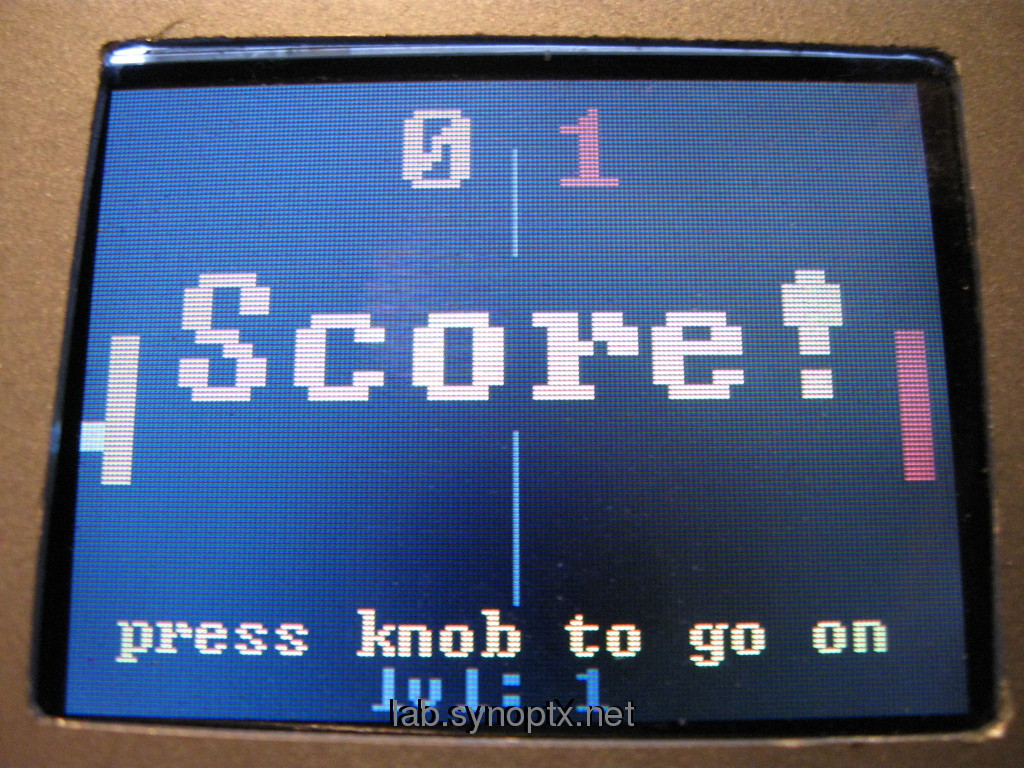
PONGuino someone got a point +
After each round a level int variable gets increased. This level var decreases a delay() (starting at 10 ms) in the main loop -that way, so the game gets faster, the more rounds you play ( 5 times).
🙂
….
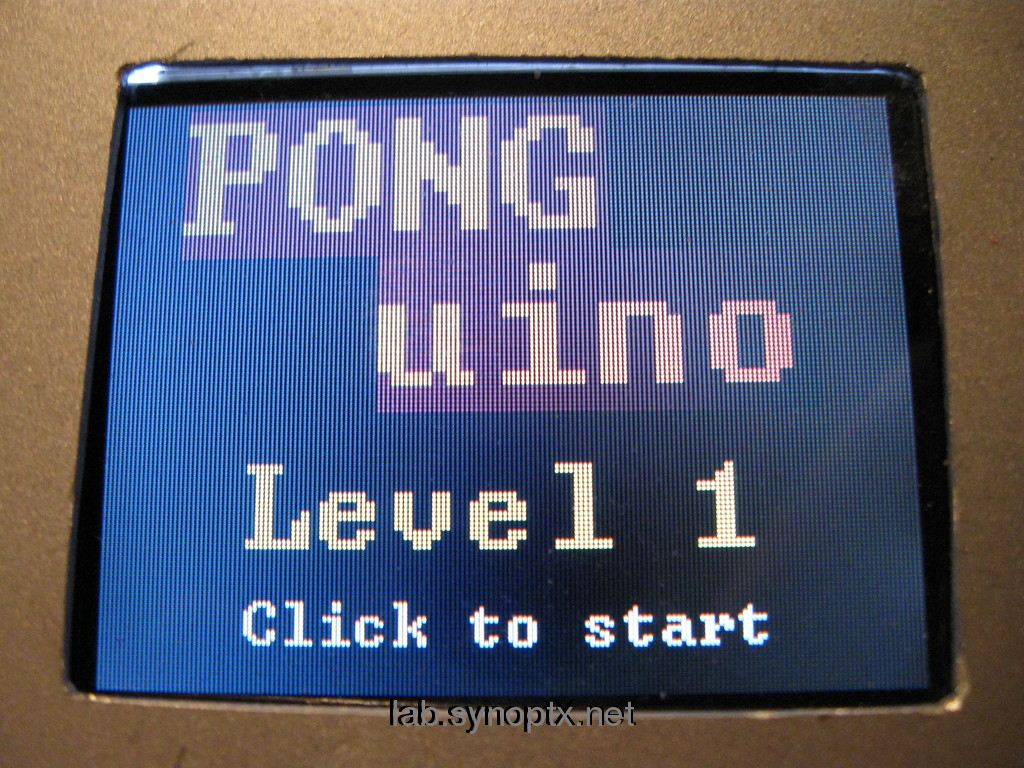
PONGuino game intro screen
This game is minimal, but already fun to play.
At least a six year old friend of mine often asks to play it – again and again 😉
It’s interesting to see, how fast this micro system works. Very fast animations are not possible, because there is no double buffering for the LCD, but everything runs just fast enough to keep you (or a six year old) concentrated on the screen.
.
..
.
.
more s65 shields projects here: MirrorBot
..
here is the modified 2 player PONGuino code
– feel free to use it & we hope someone shares another extension!
.
.
/*
 PONGuino Mini Game
 Arduino Pong using S65 Shield  - Mod  by tk@synoptx.net   1.2010

 original: http://www.codetorment.com/2009/11/11/arduino-pong-using-s65-shield/
 mod:      http://lab.synoptx.net/2010/02/12/ponguino-arduino-s65-shield-2-player-minigame/

 +=
 - 2 player with 2 joysticks (2x 1 y axis) or pots
 - super simple levels (decreasing delay)
 - intro & score screens

 Just a trial to get to know the s65shield library, but nice gameplay ;)
 ThanX to codetorment for the code!

 licensed under a Creative Commons Attribution- Noncommercial-Share Alike 3.0 Unported License
 BY NC SA
*/

#include <S65Display.h>
#include <RotaryEncoder.h>
#include <string.h>

#define WIDTH 176
#define HEIGHT 132
#define BAT_WIDTH 5
#define BAT_HEIGHT 30
#define BAT_INIT_X 5
#define BAT_INIT_Y 56
#define BALL 5
#define BAT_STEP 1
#define AI_STEP 2
#define MAX_TURNS 2

// hw pins:
const byte pinJoyLeftY    = 1;       // analog in 1 - LEFT joystick  Y axis
const byte pinJoyRightY   = 0;       // analog in 0 - RIGHT joystick Y axis

float ball_x = WIDTH / 2;
float ball_x_prev = ball_x;
float ball_y = HEIGHT / 2;
float ball_y_prev = ball_y;
float ball_dir = 0;
float bat_1_dir = 0;
int bat1_x = BAT_INIT_X;
int bat1_y = BAT_INIT_Y;
int bat1_y_prev = bat1_y;
int bat2_x = WIDTH - BAT_INIT_X - BAT_WIDTH;
int bat2_y = BAT_INIT_Y;
int bat2_y_prev = bat2_y;
int bat2_step = AI_STEP;
int p1_score = 0;
int p2_score = 0;
int ball_angle = 0;          // angle between ball path and horizontal axis
int ball_angle_sign = 0;   // sign of ball_angle : up = +1, down = -1, horizontal = 0
boolean score = false;
boolean gameover = false;

int level = 1;
char buffer[256];           // string buffer

S65Display lcd;
RotaryEncoder encoder;

// Encoder must be serviced regularly.
ISR(TIMER2_OVF_vect)
{
 TCNT2 -= 250;        //1000 Hz
 encoder.service();
}

void setup()
{
 lcd.init(2);
 encoder.init();
 // More encoder stuff
 //init Timer2
 TCCR2B  = (1<<CS22);           //clk=F_CPU/64
 TCNT2   = 0x00;
 TIMSK2 |= (1<<TOIE2);         //enable overflow interupt
 score = false;
 gameover = false;
 lcd.clear(0);
 initTurn();
 startGame();

 //debug: Serial.begin(19200);
 //Serial.print("Ready");
}

void loop(){

 if(checkPress() ){    //&& !gameover if a player scored wait for rotary press
 initTurn();
 }
 if( gameover ){    // if a player scored wait for rotary press
 p1_score = 0;
 p2_score = 0;

 level++;

 drawGameover();
 gameover = false;
 return;
 }
 if( score && !gameover ){
 lcd.drawText(20, 40, "Score!", 3, RGB(255,255,0), RGB(0,0,0));
 lcd.drawText(10, 120, "press knob to go on", 1, RGB(255,255,0), RGB(0,0,0));
 }
 while(!score && !gameover){
 // run game:
 checkControls();
//    updateAI();
 updateFields();
 drawScreen();

 if(level < 5) {
 delay(10-(level*2));
 }
 }
}

// initialize fields for the beginning of game/round
void initTurn(void){
 lcd.clear(0);
 ball_x = WIDTH / 2;
 ball_x_prev = ball_x;
 ball_y = HEIGHT / 2;
 ball_y_prev = ball_y;
 ball_dir = 0;
 bat1_x = BAT_INIT_X;
 bat1_y = BAT_INIT_Y;
 bat1_y_prev = bat1_y;
 bat2_x = WIDTH - BAT_INIT_X - BAT_WIDTH;
 bat2_y = BAT_INIT_Y;
 bat2_y_prev = bat2_y;
 ball_angle = 0;           // angle between ball path and horizontal axis
 ball_angle_sign = 0;      // up = +1, down = -1, horizontal = 0
 score = false;
 ball_dir = 1;
 ball_angle = 45;
}

// start the game and wait for press on rotary encoder
void startGame(void){
 // draw intro screen & wait

 lcd.drawText(15, 2, "PONG", 3, RGB(255,150,0), RGB(100,0,0));
 lcd.drawText(60, 37, "uino", 3, RGB(255,150,0), RGB(100,0,0));

 sprintf(buffer, "Level %i", level);
 lcd.drawText(32, 82, buffer, 2, RGB(255,255,0), RGB(0,0,0));

 lcd.drawText(32, 112, "Click to start", 1, RGB(255,255,255), RGB(0,0,0));

 while(!checkPress()){
 delay(1);
 };
 lcd.clear(0);
}

// checks if rotary encoder was pressed
boolean checkPress(void){
 int8_t press;
 press = encoder.sw();
 if (SW_PRESSED == press || SW_PRESSEDLONG == press) {
 return true;
 } else{
 return false;
 }
}

void checkControls(void){
 // pause btn & call input checks

 if(checkPress()){    // pause
 lcd.drawText(45, 60, "Game paused", 1, RGB(255,255,255), RGB(0,0,0));
 while(!checkPress()){ // wait until pressed
 }
 lcd.clear(0);
 }

 checkRotation();
}

void checkRotation(void){

 moveBat(checkInput(1), 1 );

 moveBat(checkInput(2), 2 );
}

int checkInput(int batid) {
 // read joy values of 1 input

 int step = 0;
 int valJ = 0;

 if( batid == 1 ) {
 valJ = analogRead(pinJoyLeftY);
 } else {
 valJ = analogRead(pinJoyRightY);
 }

 if( valJ > 600 ) {
 // up
 if( valJ > 800 ) {
 // fast up
 step = 2;
 } else {
 step = 1;
 }
 } else if( valJ < 400 ) {
 // down
 if( valJ < 200 ) {
 step = -2;
 } else {
 step = -1;
 }
 }
 return step;
}

void moveBat(int rot, int batid ){
 // move one of the bats
 int y_val = 1;

 if(batid == 1) {
 // switch bat
 y_val = bat1_y;
 } else {

 y_val = bat2_y;
 }
 if(!score && !gameover){
 if(rot == 1){                                  // clockwise rotation, move bat up
 if(y_val - BAT_STEP >= 0){   // only move up when there is enough space left
 y_val -= 1;
 }
 } else if(rot == 2){

 if(y_val - 2 >= 0){
 y_val -= 2;
 }
 } else if(rot == -1){                         // anti-clockwise rotation, move bat down

 if((y_val + BAT_HEIGHT + 1) < HEIGHT){
 y_val += 1;
 }
 } else if(rot == -2 ){
 if((y_val + BAT_HEIGHT + 2 ) < HEIGHT){
 y_val += 2;
 }
 }
 if(batid == 1) {
 // switch bat
 bat1_y = y_val;
 } else {
 bat2_y = y_val;
 }
 }
}

void updateFields(void){
 // top or bottom of screen reached, bounce ball back
 if(ball_y <= 0 || ball_y + BALL >= HEIGHT){
 if(ball_angle_sign == -1){ // ball was going down
 ball_angle_sign = 1;    // ball is now going up
 } else{                            // ball was going up
 ball_angle_sign = -1;   // ball is now going down
 }
 }
 // check if ball has is in reach of bat1 (horizontal), for some reason checking for equality doens't seem to work here ?
 if((ball_x <= 12 && ball_x >= 11) && (ball_dir == 1)){
 // ball is in reach of bat1(vertical)
 if((ball_y + BALL) >= bat1_y && ball_y <= (bat1_y + BAT_HEIGHT)){
 ball_dir = 0;     // ball hits bat1, change direction
 }
 }
 // check if ball has is in reach of bat2 (horizontal)
 if((ball_x >= 160 && ball_x <= 162) && (ball_dir == 0)){
 // ball is in reach of bat2 (vertical)
 if((ball_y + BALL) >= bat2_y && ball_y <= (bat2_y + BAT_HEIGHT)){
 ball_dir = 1;          // ball hits bat2, change direction
 }
 }

 if( ball_x > 0 && ball_x + BALL < WIDTH){           // ball is not near left or right edge
 if(ball_dir == 0){                                // ball is moving to the right
 ball_x += cos(ball_angle);                        // cosine is always positive in 1st and 4th quadrant
 if(ball_angle_sign == -1){                        // check sign of angle
 ball_y  -= sin(ball_angle);                        // negative if angle in 4th quadrant
 } else{
 ball_y  += sin(ball_angle);                        // positive if angle in 1th quadrant
 }
 } else {                                            // ball is moving to the left
 ball_x -= cos(ball_angle);                        // cosine is always negative in 2nd and 3rd quadrant
 if(ball_angle_sign == -1){
 ball_y  -= sin(ball_angle);                        // sine is always negative in 3rd quadrant
 } else{
 ball_y  += sin(ball_angle);                        // sine is always positive in 2nd quadrant
 }
 }
 } else{                                        // ball hits left or right edge
 if(!score && !gameover){
 if(ball_dir == 0){                                    // ball was going to the right
 if(p1_score < MAX_TURNS){
 p1_score++;                                // player 1 scores
 }else{
 gameover = true;
 }
 }else{                                            // ball was going to the left
 if(p2_score < MAX_TURNS){
 p2_score++;                                // player 2 scores
 } else{
 gameover = true;
 }
 }
 score = true;
 }
 }
}

void drawScreen(void){
 // draw ball
 lcd.fillRect( ball_x_prev, ball_y_prev, ball_x_prev + BALL, ball_y_prev + BALL, RGB(0,0,0));
 lcd.fillRect( ball_x, ball_y, ball_x + BALL, ball_y + BALL, RGB(255,255,255));
 ball_x_prev = ball_x;
 ball_y_prev = ball_y;
 // draw left bat
 lcd.fillRect( bat1_x, bat1_y_prev, bat1_x + BAT_WIDTH, bat1_y_prev + BAT_HEIGHT, RGB(0,0,0));
 lcd.fillRect( bat1_x, bat1_y, bat1_x + BAT_WIDTH, bat1_y + BAT_HEIGHT, RGB(255,255,0));
 bat1_y_prev = bat1_y;
 // draw right bat
 lcd.fillRect( bat2_x, bat2_y_prev, bat2_x + BAT_WIDTH, bat2_y_prev + BAT_HEIGHT, RGB(0,0,0));
 lcd.fillRect( bat2_x, bat2_y, bat2_x + BAT_WIDTH, bat2_y + BAT_HEIGHT, RGB(255,0,0));
 bat2_y_prev = bat2_y;
 drawScore();
}

void drawScore(void){
 // ..of 2 players + level
 char sc[16];

 sprintf(sc, "%i", p1_score);
 lcd.drawText(88-23, 5, sc, 2, RGB(255,150,0), RGB(0,0,0));

 lcd.drawLine( 88, 14, 88, 118, RGB(100,100,100) );

 sprintf(sc, "%i", p2_score);
 lcd.drawText(88+10, 5, sc, 2, RGB(255,0,0), RGB(0,0,0));

 sprintf(sc, "lvl: %i", level);
 lcd.drawText(60, 120, sc, 1, RGB(100,100,100), RGB(0,0,0));

}

void drawGameover(void){

 lcd.clear(0);
 lcd.drawText(5, 20, "Level Over", 2, RGB(255,0,0), RGB(0,0,0));

 lcd.drawText(3, 80, "press knob for next level", 1, RGB(255,255,255), RGB(0,0,0));
 lcd.drawText(3, 110, "press knob long to restart", 1, RGB(255,255,255), RGB(0,0,0));
}
 Arduino, Development
 animation, Arduino, Game, Hardware, MirrorBot, Recycling, S65-shield, Servo Control

 RSS
RSS
I have read your thoughtregarding the Arduino. You definitely have put a considerable amount of effort into writing it. 🙂
Right now, I run a website that sells Arduino motherboards and their related accessories. They are all imported from overseas.
Finally, customers in Malaysia can own an Arduino. If you have a Malaysian friend, do inform them of this site.
Thank you very much. I will remember your help. Keep in touch.
response to the Arduino pong post from a few days ago, SynOptx shared their 2-player PONGuino game. Rather than using a television for a display, they opted to go with an LCD display mounted on an [