Category: Bots

CSS gradient background and Mobile browsers

By ZBog, May 18, 2011 21:09

While making the layout for a mobile app with the help of jquerymobile, I have questioned myself about the gradient background, for web and mobile.

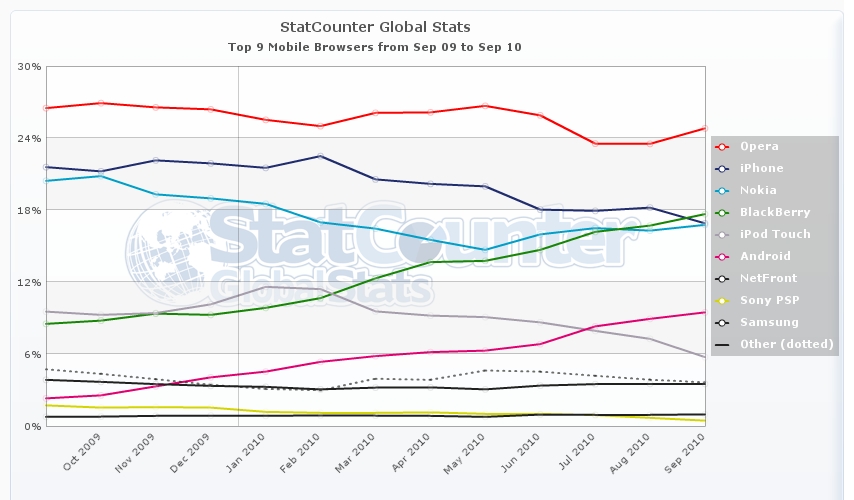
Looks like the mostly used mobile browser is Opera Mobile – Opera mini,that since the end of 2010 replace “Web (mobile) Browser for S60″ the default browser for the mostly sold operative system Symbian OS (originally Nokia propertary made after Open Source!),. Has a stable position with “29.2% of worldwide smartphone market share in 2011″ (Wikipedia).

2nd  place is the Android that is increasing users!
3rd place for Iphone with iOS and Safari.
The mobile browsers are born around 1996, in text only mode, around 2006 start the usage of CSS2.1, but the hardware developed so fast that there is no old browser engine to fight with,  thee is just the choice or they cannot show a graphic layout or they render better of your others monitor.
So the list can be restricted to:

/* Safari, Chrome, Skyfire, Nokia Series 60, Polaris, BlackBerry, Android*/
background: -webkit-linear-gradient(bottom, #006353, #c7dad6);

/*Portable Firefox, Firefox Mobile Fennec 1.0 Alpha 3, SeaMonkey Portable 2.0.14*/
background: -moz-linear-gradient( center bottom, rgb(0,98,83) 50%, rgb(0,113,94) 50%, rgb(199,218,214) 99%);

/*Opera Mini & Opera Mobile*/
background: -o-linear-gradient(bottom, #006353, #00715e, #c7dad6);

/*IE mobile */
-msfilter:”progid:DXImageTransform.Microsoft.gradient
(startColorStr=’#81aea7′, EndColorStr=’#81aea7′)”


For the computers Windows XP is always on the top usage, also if Windows 7 is increasing, but with a luck windows user start to leave Internet Explorer that is still on the top but decreasing, followed from Firefox and an increasing number of Chrome users. The fact that IE6 is still there make us brrrrr, IE6 is going down but is anyway counting almost the same users like Safari.
The CSS code for the computer web compatibility is really long:


/* W3C Standard */
background:linear-gradient(bottom, #81aea7, #c7dad6);

/* Safari 4-5, Chrome 1-9 */
background-image: -webkit-gradient(
linear,left bottom,left top,
color-stop(0.5, rgb(0,98,83)),
color-stop(0.99, rgb(199,218,214))
);

/* Safari 5.1+, Chrome 10+ */
background: -webkit-linear-gradient(bottom, #006353, #c7dad6);

/*Mozilla/Gecko (Firefox >= 3.6 etc) */
background: -moz-linear-gradient(
center bottom,
rgb(0,98,83) 50%,
rgb(0,113,94) 50%,
rgb(199,218,214) 99%
);

/* Opera 11.10+ */
background: -o-linear-gradient(bottom, #006353, #00715e, #c7dad6);

/*IE 5.5 – 7*/
filter: progid:DXImageTransform.Microsoft.Gradient(StartColorStr=’#006353′, EndColorStr=’#c7dad6′, GradientType=0);

/*IE 8+*/
-msfilter:”progid:DXImageTransform.Microsoft.gradient
(startColorStr=’#81aea7′, EndColorStr=’#81aea7′)”

You could add even one more exception, for a while Opera used an external svg to create the gradient, but the work is not worth.


So many lines that makes me nostalgic about the old way to do it, that now can be used as fallback in emergency:

/* fallback, Opera <=10 */
background-color: #1a82f7;
background: url(images/linear_bg_2.png);
background-repeat: repeat-x;


Linkography
mobile browser counter

http://gs.statcounter.com/#os-ww-monthly-201004-201104

http://en.wikipedia.org/wiki/Usage_share_of_web_browsers

http://en.wikipedia.org/wiki/Mobile_browser

thanks for the great work:

http://www.normansblog.de/demos/browser-support-checklist-css3

Share

MirrorBot Video – Moving Projections Controller Interface

By TeK, January 5, 2011 17:58

YouTube Preview Image

Part #02 of the MirrorBot Demo Video


** Video Installation Audio Visual Special Event n8 @Tacheles 17.12.2010

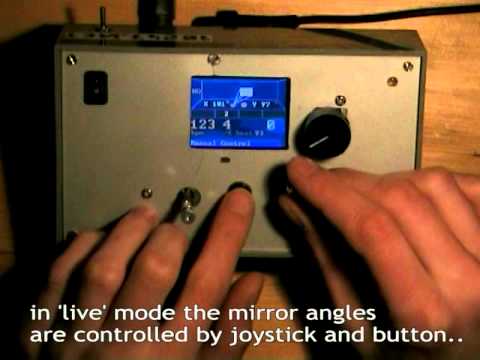
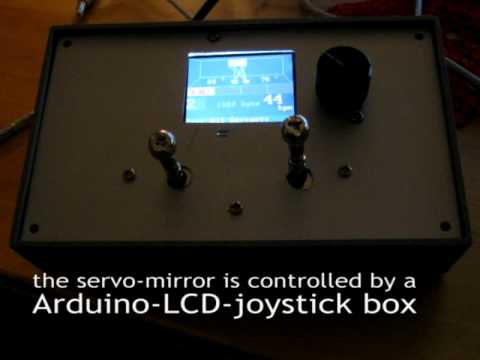
** Details of the Controller device:

  • Programs and Live Mode LCD screen interface

Part #01 of the Video, Installation in MIKZ, Berlin 03.2010: /2011/01/03/mirrorbot-video-moving-projections-in-action

Technical details: lab.synoptx.net/mirrorbot

Share

MirrorBot Video – Moving Projections in Action

By TeK, January 3, 2011 02:03
YouTube Preview Image

Demo Video of the “moving projection” video installation at Suchtfaktor elekto party in MIKZ, Berlin 03.2010
Monthly, every 1. saturday, also in 2011!

The “MirrorBot” is a Arduino minicomputer system to control the position of videobeamer projections. Two servomotors move a mirror in X- and Y- axis, which reflects the beamer image. The servos are controlled by a micro-controller with an LCD. It can play various movement pattern programs automatically, adjusted to the music speed by setting BPM or ‘live’ with the joystick and button.

Headsquatter VJs use it to move visuals around the whole dance floor when playing in clubs. Moving projections become a live instrument! :D

more info in older posts :

lab.synoptx.net/2010/03/13/mirrorbot-v3-in-action

Music by droidsystem.com many ThanX!!

Share

Video: PONGuino – Arduino & S65 Shield – 2 Player MiniGame

By TeK, December 27, 2010 04:55
YouTube Preview Image

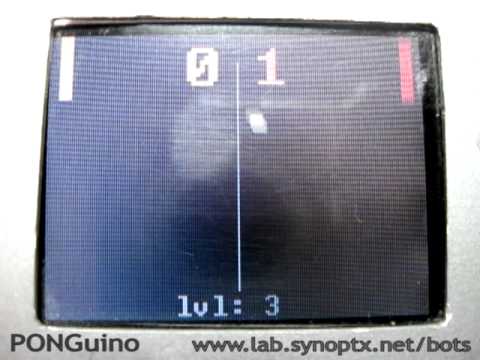
Here is a video about the PONGuino game for 2 players on a minicomputer with mobile-phone display and joysticks.
The box contains an Arduino 2009, a S65-LCD Shield and a gamepad from an old playstation 1. It runs autonomous on 9V battery.

The device is originally built for the “Mirrorbot” moving projection system [ lab.synoptx.net/mirrorbot ], but the pong-game-code from www.codetorment.com was perfect to test the LCD and – really – it’s fun to play!

The system is just fast enough to play a game, but you have to take care, how many pixels and how fast you draw. There is no double buffering and just a serial line between arduino and screen……

more info in this post from 02.2010

Sorry for the low quality photo-cam recording.
The LCD is not bad in reality: You don’t see the pixels and the scratches are only on a transparent folie..


Share

Arduino Workshop “Hardware 2 Software Interaction” Level #01

By TeK, October 5, 2010 19:21

15.11.2010 @ nerdcafe FHain LUG    nerdcafe.vetomat.net

Workshop Info

Sensor forest on a breadboard

Hardware Hacking -DiY — Introduction to Hardware <-> Software Interaction

This introduction is intended for anyone interested in (easy) electronics hardware and (mostly easy) software coding. Artists / *Designers & Hackers of all kinds are invited to join the FREE sessions in Berlin Friedrichshain.

TKilla will introduce the Arduino micro-controller platform and show some practical examples. Basics of electronics and some interesting components will be explained shortly, but there are no tricky mechanical works and no soldering involved.

We will focus on software programming inside the Arduino editor to show how to read analog values from various interesting sensors and output to LEDs and maybe servo motors.

Big breadboard, many sensors + Arduino

To get some interesting visual results, we will use Processing to display incoming values from sensors in graphical ways.

After the lesson, you should have an idea how to design & build your own simple robots (servo motors…) or sensory controllers (MIDI / OSC faderboxes,..).

If there is time, everyone can install the software and try with a board and sensors. We can focus on special topics and the workshop part (maybe MIDI Controllers) in a follow-up evening.

Synoptx Crew organizes all material, tools and a nice location.

Max. 5 Arduino boards will be available, so bring your own, if you have one or contact us by mail or comment..

BYO laptop!

and interesting electronics (sensors) to recycle! (old joysticks, buttons, potis, faders, sensors,…)

Share

Amarok Remote for Android

By TeK, August 28, 2010 22:08

What a great tool!

Amarok Remote Screenshot

Amarok Remote Screenshot

This amarok plugin + Android App lets you control Amarok Mediaplayer over WLAn / …

I just wanted to start to code, but typed amarok into the market and: somebody did it already

Android Amarok Remote Homepage

just follow the install instructions – its done in 5 minutes, enjoy!

BugFIX:

rename the downloaded file to android.amarokscript.tar.gz or you cannot open it in amarok plugin manager!

Share

Arduino Talk & Workshop Berlin – Proposal / Info

By TeK, April 28, 2010 17:15

Who is interested to join the next Arduino talk & workshop in Berlin F’Hain?- please comment or mail

Workshop Info

Sensor forest on a breadboard

Sensor forest on a breadboard

Hardware Hacking -DiY- Faderboxes & Robots — Introduction to Hardware <-> Software Interaction

This introduction is intended for anyone interested in (easy) electronics hardware and (mostly easy) software coding. Artists / *Designers & Hackers of all kinds are invited to join the FREE sessions in Berlin Friedrichshain.

We will introduce the Arduino plattform and show some practical examples. Basics of electronics and some interesting components will be explained shortly, but there are no tricky mechanical works and no soldering and not so complicated electro-technically theories involved.

We will focus on software programming inside the Arduino editor to show how to read analog values from various sensors and output to LEDs and servo motors.

Big breadboard, many sensors + Arduino

Big breadboard, many sensors + Arduino

To get some interesting visual results, we will use Processing to display incoming values from sensors in various,graphical ways.

After the lesson, you should have an idea how to design & build your own simple robots (servo motors…) or sensoric controllers (MIDI / OSC faderboxes,..). We can focus on special topics (maybe MIDI Controllers) in a follow up workshop.

Synoptx Crew organizes all material, tools and a nice location.

BYO laptop and Arduino or contact us to join a collective order of electronic parts!

Share

MirrorBot v3 – moving projections @ Suchtfaktor Party

By TeK, March 13, 2010 18:41
Flash! People on the dancefloor - Mirror Station besides the DJ and the controller box in front

Flash! People on the dancefloor - Mirror Station besides the DJ and the controller box in front

Headsquatter VJ crew used the new version of the moving-projections-robot in MIKZ club in Berlin Friedrichshain @

Suchtfaktor Party 6.3.2010

Mirror Station in front of a beamer  and projection on the wall

Mirror Station directing the beamer projection on wall and roof

to create a visuals show with a moving projection.

The  2D (X+Y axis)  mirror-station was mounted in front of a 2500 ANSI lumen beamer – this was strong enough to produce very clear and big projections everywhere in the dancehall.

Two servo motors are driving one mirror in X- *and* Y- axis. The projection can be moved across the walls by a joystick or with automatic pattern programs, synced on beat of the music.

VJ desk: 2 video notebooks, 1 video-mixer, eeePC 701 preview screen, midi controller and mirrorbot controller

VJ desk: 2 video notebooks, 1 video-mixer, eeePC 701 preview screen, midi controller and mirrorbot controller

30° in vertical Y axis are enough to reach almost any point on the ceiling. Combined with more than 120° on the horizontal axis, it can project on any point on 3 of the walls.

Many guests on the dancefloor were surprised by the projections suddenly appearing and disappearing and when they discovered the mirror-station, they showed it to others. Some people came on stage to the VJ desk to ask how the moving projection works and some more came up to say that they liked the visuals show :-)

It was fun to “play” the robot just like an instrument with the joysticks. When the positioning button is pressed on beat – matching to the rhythm – the projection is “dancing” across the room!

Share

MirrorBot V3.0 : Robot Autonomie!

By TeK, February 13, 2010 01:23

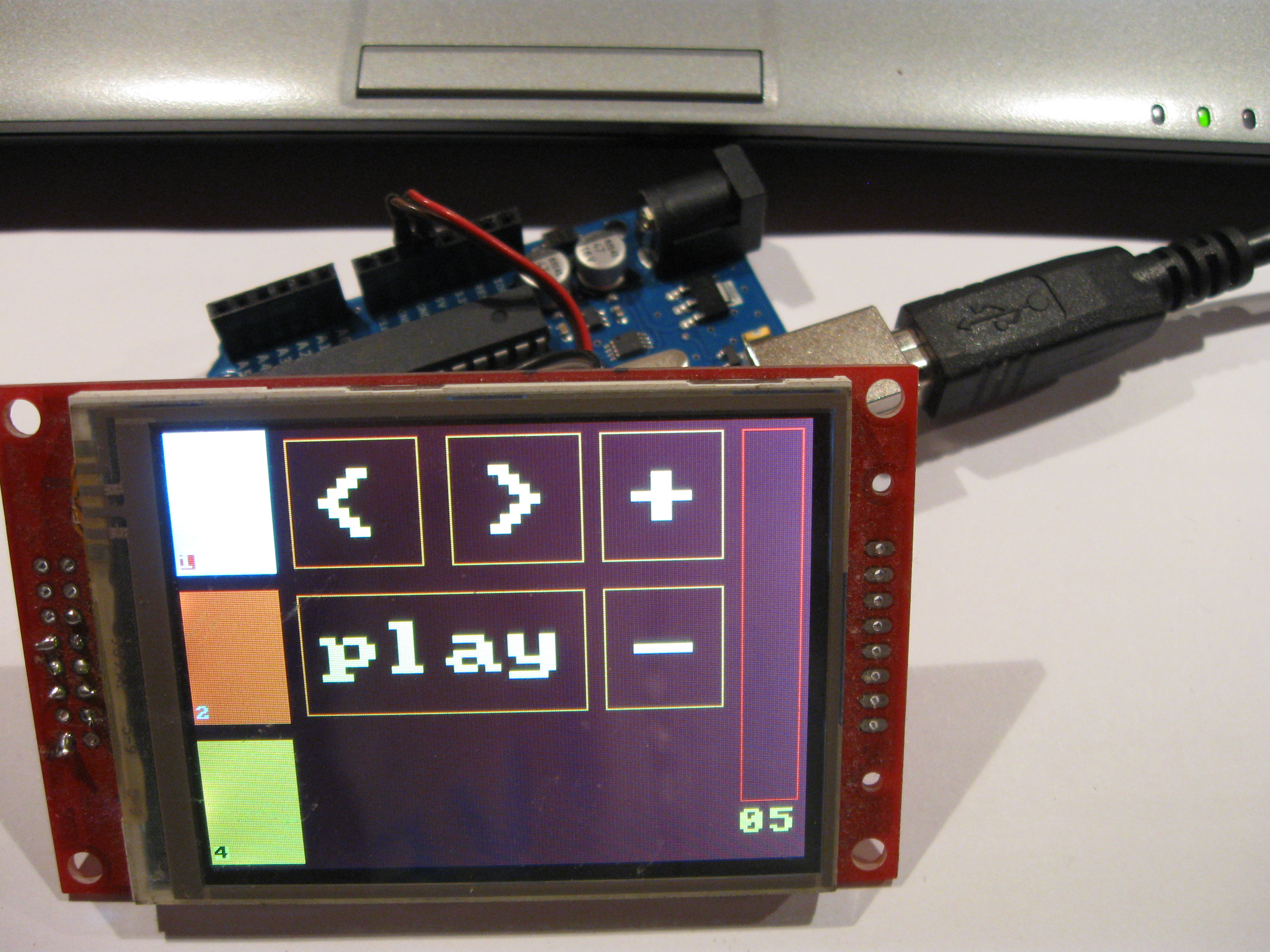
MirrorBot GUI 3.0 on s65 shield

Finally there is no need for a computer control screen anymore: the S65-Shield rocks!  :-)

Display Code

This display is fast enough, graphical!!, colorful, just big enough and easy to program,for many tasks, where you normally would need a big (pc) screen and ‘real’ software.

Hotspots Setup Screen

Hotspots Setup Screen

So I started to code an Arduino patch for a mirror bot interface. After some nightly sessions it includes:

  • “projection display” – showing the current angle of 2 mirrors and the resulting projection (just some lines and rectangles
  • animated BPM  “beat-bar” showing current step
  • current BPM
  • current program name and description

At first, it was difficult to overwrite the previous drawings: if too many lines are drawn at once, it does not work. After some timing tests, I found a working code to redraw all elements without flickering.

Autonomous MirrorControl Box

Autonomous MirrorControl Box

One trick is to redraw as few pixels as necessary and another is to reduce the updates to only draw something (over) when its really necessary (something changed).

Servo Control Integration

Then I integrated this LCD animation code into the servo control loops and programs. One control loop runs every 200ms to check the input potis. The display animation update is also triggered in that loop.

Another loop runs according to the current BPM and triggers the selected servo move program which moves the servos on beat.

Open Case - Arduino + s65 shield + joystick board

Open Case - Arduino + s65 shield and joystick board

In manual mode the servos are directly moved in the control loop. Servos do not position soo fast and accurate, so it needs some ms to ‘drive’ there, but it is fast enough for most effects. 50-100ms refresh works good and gives a direct response feeling. Next I’m looking for joysticks, which keep the position, because these jump back to the middle and that’s  disturbing in manual mode…

Connections on the shields pins

Connections on the shields pins

Unfortunately the 4 Arduino analog input pins, which are left free by the S65 shield, are already used up by the four joystick axis.:

S65 Shield Pins Schematics Image

Hotspots Setup

The Duemillanove still had a lot of RAM -1500byte- and 1/2 code memory free, so I started to hack a setup screen for the hotspot variables of two ServoMirrors into it.

Now the box can be configured for each location live ‘on the fly’ without re-programming by a computer. With the joysticks you can select nice spots in the room and press the encoder to save the value. Currently the values are simply stored into global varaibles. Next step is to save these values to SD card or EEProm..

PS2 to servos and some work todo..

PS2 to servos and some work todo..

It was easy to write this interface with the S65 library. Simply loop over the variables and draw the text. Draw a box around the selected row and change the selected on encoder turn. Now the box needs some more buttons…

Case

This case was a -fast & furious- test to create at alu-front at home office. Not only that many tools are required, you also need a stand for a drill and equimpment for fixiation to get the metal works really exact. Its not that bad, but it takes long to calculate, drill and saw all holes. You will not get it done without some scratches and unstraight edges, if you dont have a professional workplace.. We are looking for some CNC guys next .. ;-)

Share

PONGuino – Arduino & S65 Shield – 2 Player MiniGame

By TeK, February 12, 2010 19:36
PONGuino game on the MirrorBot v3 Hardware

PONGuino game on the MirrorBot v3 Hardware

I wanted a playable game to show the possibilities of the Arduino plattform in  workshops. Since I already have a S65-Shield built in a box with two joysticks, I wanted to use that MirrorBot hardware for presentation.

The most funny code I could find for the S65 Shield was a Pong game by

www.codetorment.com

This mod uses one axis of two joysticks – or two potis connected to input pins to move the two bats of the two players up and down.

The AI and encoder codes were removed and replaced by a similar check:

PONGuino 2 players in action

PONGuino 2 players in action

If the joystick potis are moved up or down, they decrease or increase the y position value of the matching bat.

If you have a s65 shield and would like to run this code, you could connect two potis to input pins (e.g. 0,1) and try those. Thes bats ‘should’ move, if you move the pots out of the center position.

I included a veeery simple level system:

PONGuino someone got a point +

PONGuino someone got a point +

After each round a level int variable gets increased. This level var decreases a delay() (starting at 10 ms)  in the main loop  -that way, so the game gets faster, the more rounds you play ( 5 times).

:-)

….

PONGuino mini-game intro screen

PONGuino game intro screen

Continue reading 'PONGuino – Arduino & S65 Shield – 2 Player MiniGame'»

Share
WordPress Open Source Blog System
SynOptX Lab Theme